
Why review copies get away from you
An ARC (advance reader copy, sometimes called an advance review copy) is a book you get before or around publication in exchange for an honest review. The deal is simple. Keeping it is not, once you have more than a handful going at once:
- They come from everywhere. One from NetGalley, two from BookFunnel, one an author emailed you directly. Each source has its own dashboard, or none at all.
- The dates are soft until they aren't. Most copies come with a publication date or a requested review window. Miss enough of them and some programs and authors stop sending.
- "Reviewed" isn't one thing. You may owe a review on Goodreads, Amazon, StoryGraph, your blog, and a video. Half-posted reviews are the ones that slip.
- They live outside your reading log. If the ARC list is a spreadsheet and the reading log is an app, one of them is always out of date.
The fix is to keep review copies in the same place you track the reading itself, with three extra facts on each one: where it came from, when the review is due, and where you've posted it.
What a good ARC tracker needs
- Source. NetGalley, BookFunnel, the author, and so on, so you can see who you owe and how much each source sends you.
- A due date with a status. Not just a date field, but something that tells you "due soon" and "overdue" without doing the math.
- A posted-to checklist. One tick per place the review goes, so "done" means done everywhere.
- One view of what's open. Pending, overdue and finished copies in one list, sorted by what needs you first.
- It's still a book. Reading progress, sessions, rating and notes should work like any other book, so the ARC doesn't need a separate system.
- Your data leaves with you. Export that keeps the review-copy fields, so a year of ARC history isn't trapped in one app.
How to track ARCs in Leafed
Leafed has a review-copy tracker built into the book record. Here's the whole loop:
- Mark it as a review copy. Flip the review-copy switch in the Manage Shelves sheet when you shelve the book, or turn on Review copy later in the book's Book Info card. Books you add by hand get the same card, so an ARC that isn't in any catalog yet still works.
- Pick the source. Author, BookFunnel, NetGalley, StoryOrigin, Booksprout, or Other, plus a free-text note for the publicist's name or the program's request ID.
- Set the review due date. Leafed shows the copy as pending, then due soon in the last seven days, then overdue the day after. A review due today still reads as due soon, not overdue.
- Read it like any other book. Shelves, reading sessions, progress, rating, moods and notes all work as usual. Moving it from Want to Read to Reading to Finished keeps the review-copy details.
- Tick where you posted. Goodreads, Amazon, StoryGraph, Video (TikTok or Reels), and Blog each have their own toggle, and each records the day you flipped it. Mark review done closes it out.
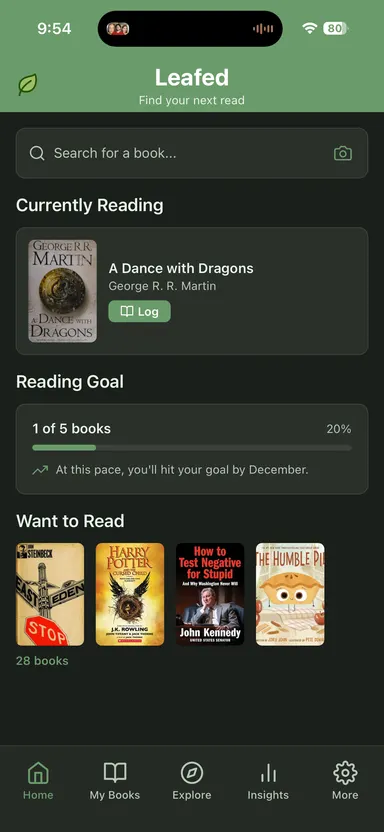
Three places pull it together. A Reviews Due strip sits on Home under Currently Reading, so the next deadline is the first thing you see. The Review Copies screen in your library splits everything into Pending, Overdue, Done and All. And Insights has a Review Copies section with how many ARCs you read this year, how many you reviewed, your on-time rate (once your copies have due dates), and a breakdown by source. You can also filter Browse to review copies only, which helps when you want to bulk-tag or sort them.
How the options compare
| Option | Due dates & status | Posted-to tracking | Best for |
|---|---|---|---|
| Leafed | Due date with pending, due soon, overdue, done | Goodreads, Amazon, StoryGraph, video, blog toggles | Reviewers who want ARCs inside their normal reading log |
| Spreadsheet | Any columns and formulas you build | A column per platform | People who want full control and don't mind updating two places |
| A program's own dashboard | Varies by program | Varies by program | Copies from that one program. It won't see your other sources |
| General trackers (Goodreads, StoryGraph) | We haven't found a built-in review-due field; most reviewers use a custom shelf or tag | Not as a checklist, as far as we can tell | Readers who already live there and only take a few ARCs |
Where Leafed wins (and loses)
Wins: the review copy is the same record as the book you're reading, so there's nothing to keep in sync by hand. Source, due date, status, and a posted-to checklist come built in, along with an on-time rate you'd otherwise build with formulas. It's private by default: no account required, no public shelf showing which ARCs you requested. Exports keep the review-copy fields. The Leafed CSV has its own ARC columns, and the Goodreads-format export puts review copies on an arc shelf plus one per source. The tracker is free.
Loses: Leafed doesn't connect to NetGalley, BookFunnel or any other program. It can't see what you requested there, and it doesn't post reviews for you. There are no push reminders for due dates yet; the status and the Home strip are the reminder. The web library at leafed.app doesn't show review-copy fields yet, so this is an app feature for now. If you need custom columns like publisher contact or format received, a spreadsheet still gives you more room.
Moving over from a spreadsheet? Add the books first, by search, barcode or a Goodreads import. Then mark the review copies; it takes a few seconds per book.
A weekly ARC check (10 minutes)
- Open Review Copies and look at Overdue first. Post the review, or email the author or publicist if you need more time.
- Check Pending for anything due in the next two weeks and move it onto Reading.
- For every review you posted this week, tick each place you posted it.
- Before requesting anything new, look at your on-time rate in Insights. If it's slipping, request less.
Related reading
- Book tracking spreadsheet: free template
- How to track your reading stats
- How to track tropes and spice level in your books
- Best book tracker apps (2026)
FAQ
What is an ARC in books?
An ARC is an advance reader copy (also called an advance review copy): a copy of a book given to reviewers before or around publication, usually in exchange for an honest review.
How do I keep track of ARC review due dates?
Give every review copy a due date and a status in the same app you track your reading in. In Leafed, a review copy shows as pending, due soon in its last seven days, then overdue, and a Reviews Due strip on Home lists what's next.
Does Leafed connect to NetGalley or BookFunnel?
No. Leafed doesn't connect to any ARC program. You mark the book as a review copy and pick the source yourself, and the tracking stays on your device unless you turn on sync.
Can Leafed remind me when an ARC review is due?
There are no push reminders for review due dates yet. The due-soon and overdue status, the Reviews Due strip on Home, and the Review Copies screen are how Leafed keeps them in view.
Is the ARC tracker free?
Yes. The review-copy tracker is part of the free app on iOS and Android.